 Patchman
Your first useful result
Start with a small release pack: one final image, its source file and a supporting document. This guide follows Dowe's header upload control, library, boards and sharing. Keep the originals private until you have reviewed what each recipient should receive.
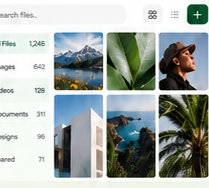
Prepare a recognisable release pack
Choose files you own or are authorised to store. Use clear names that distinguish the final cover, editable source and supporting document. Decide which material belongs in a private working folder and which belongs in the delivery collection. A folder organises files; creating one does not publish its contents.
Upload and confirm the result
Sign in through the shared Patchman profile control and use Upload in the header. Select one file or several. Images receive visual previews while other formats remain recognisable as files. Wait for completion, inspect the entries and open a representative item. A filename appearing in the interface does not by itself establish that an upload finished.
Organise with Directory and Boards
Directory keeps folders, search, visibility and selection close while the library remains in the main area. Check the selected items before applying a multi-file action. Boards curate chosen files into a visual story. For the release pack, arrange the approved cover and delivery document together while leaving the editable source in its private working folder.
Check downloads, activity and storage
Open the completed file and verify its version. Use Insights to understand recorded activity without treating every view as a completed delivery. Storage and developer settings have a different purpose from arranging the library. Customer folders and logical buckets do not expose physical provider credentials; ordinary sharing never requires giving a recipient your storage access key.
Recover without creating confusion
If an upload fails, retain the source and inspect its error. Check for a completed entry before retrying a delayed response. If the wrong release was shared, revoke the link, correct the collection and create a new destination where appropriate. Keep an independent recovery copy of important work; a board is a presentation, not a substitute for backup.
Common questions
Can I revisit the interface tour?
Yes. Help in Dowe replays the in-app walkthrough. This written guide remains available independently while you work.
What should I send to support?
Provide the app, safe file reference and support code. Do not email storage credentials or confidential files unnecessarily.
Continue with Dowe
In the app, Help can replay its guided walkthrough while this written reference stays available separately. Review the Dowe product page for the wider workflow, or open Dowe to begin.
Cloud storage and backup serve different purposes
For identity and balance questions, read Patchman Account help. If a problem remains, contact support@patchman.io with the app name, a safe reference and its support code.